Pause before closing!
Data Refresh

Refresh Policy Data Before Renewal Work Starts

Current documents • Structured changes • Renewal-ready handoff

Request updated policy documents, review changes against the prior record, and prepare current policy data for renewal, remarketing, or account review.

Northstar Equipment — refresh requested Jul 22, 2026Client action needed
Refresh request
Account: Northstar Equipment
Source: Carrier or client document
Document: Updated Policy.pdf
Exception: Client reconnect required
Change summary
Field
Prior
Current
Premium
$12,400
$13,150
Property deductible
$2,500
$5,000
Vehicles
8
9
Start with current
documents
Ready for review
policy changes
Surface client
or source exceptions
Prepare the next
workflow

Renewal work breaks when the policy record is stale

Current documents, visible exceptions, and a clear change record create a stronger renewal starting point.

Outdated declaration pages

Producers start account review from documents that may not reflect the current policy.

Repeated client follow-up

Teams chase a document without a consistent request, status, or next action.

Manual change checks

Premiums, limits, deductibles, vehicles, locations, and other exposures are compared by hand.

Exceptions arrive too late

A credential change, client action, unavailable source, or missing document can block the workflow.

How Data Refresh works

Start the request, collect the current source, and review changes before the next workflow.

Start the refresh

Select the account or policy and start a manual or renewal-based refresh.

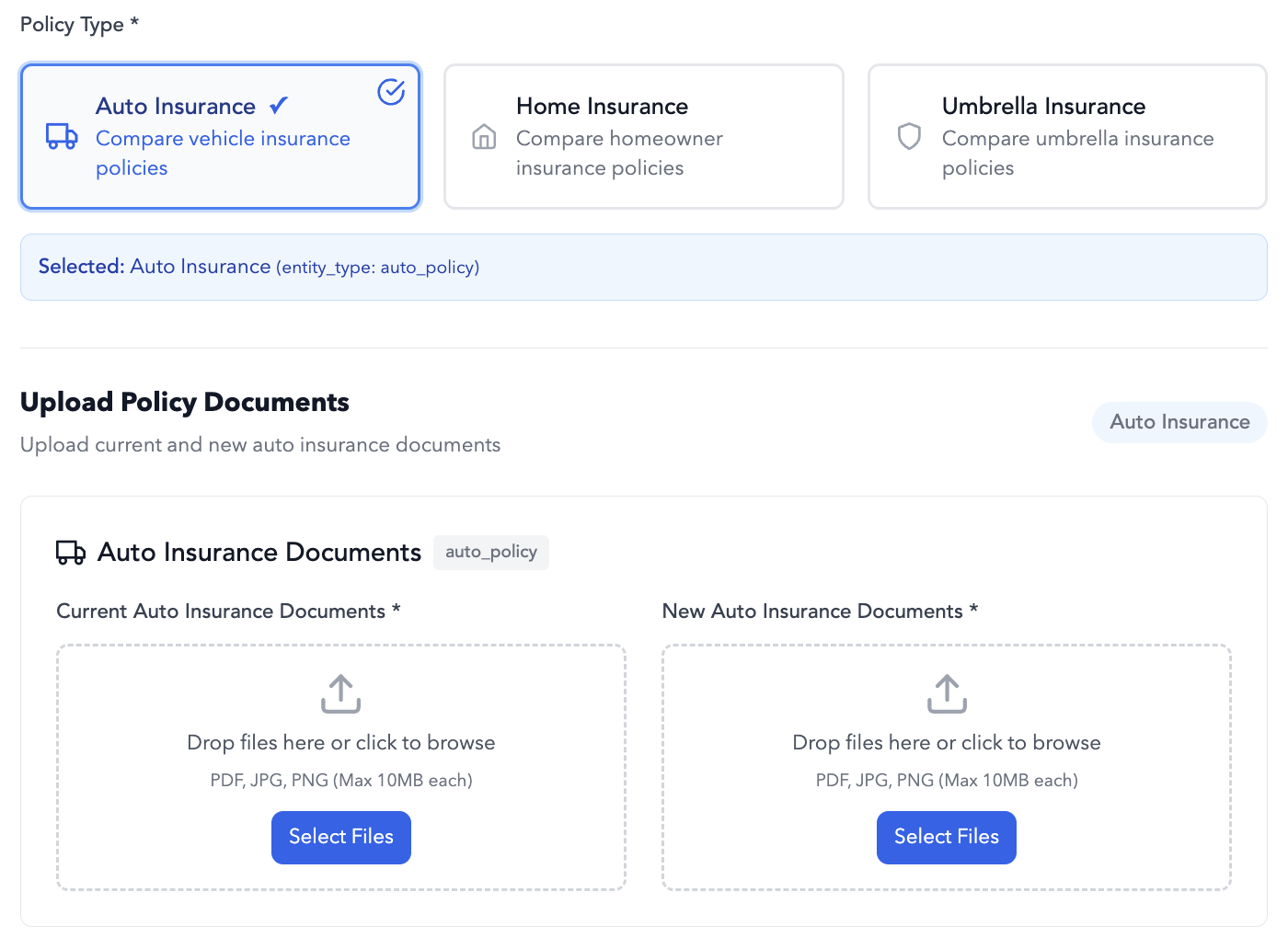
InsurGrid workflow screen for starting a supported policy data refresh request.
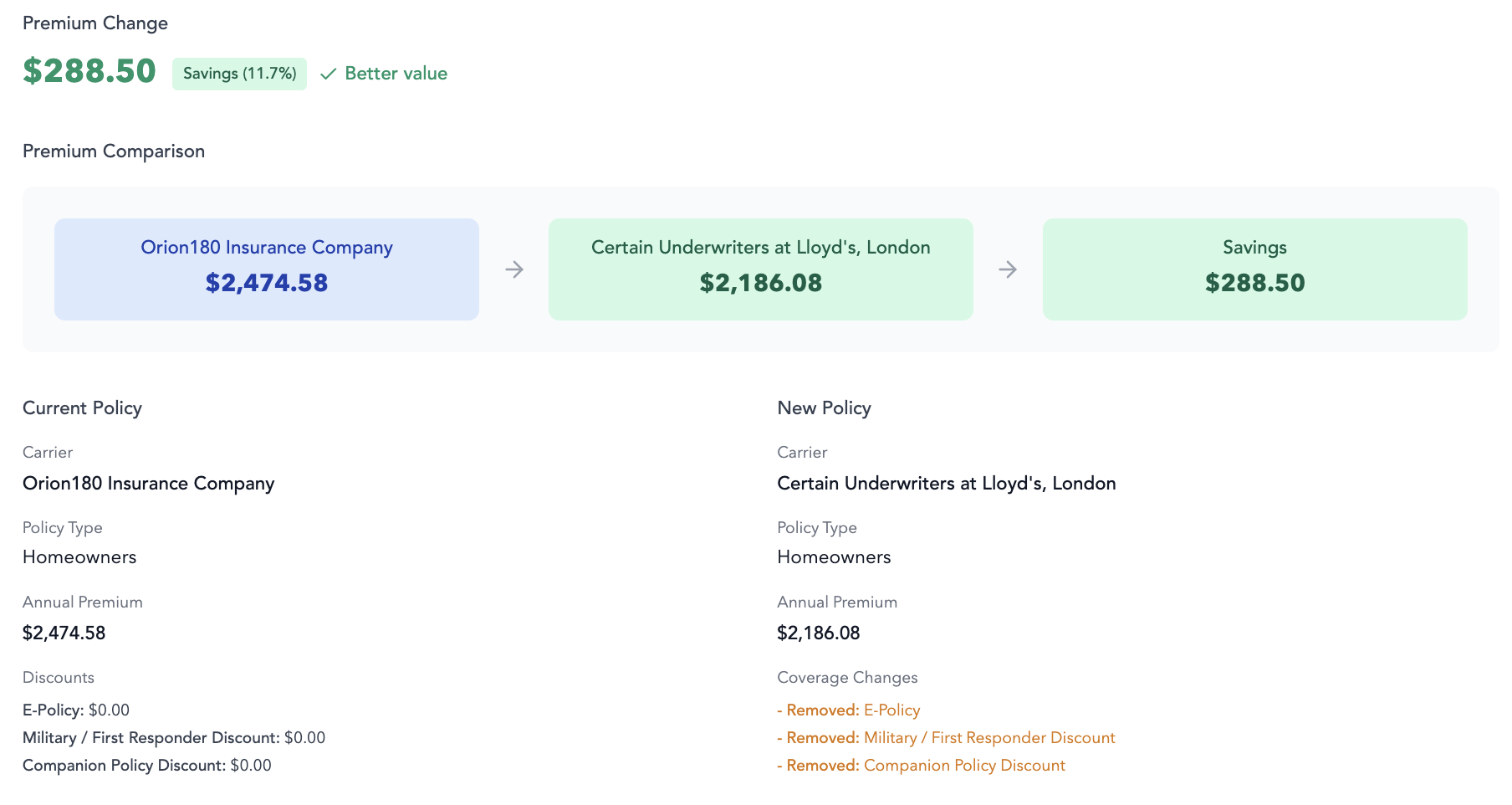
InsurGrid analysis screen showing supported policy data extracted from a current document.

Collect the current source

Request or retrieve the updated document, with client action, upload, login, or reconnect requirements made clear.

Review changes and route the account

Compare fields with the prior record, resolve exceptions, and move reviewed data into the next workflow.

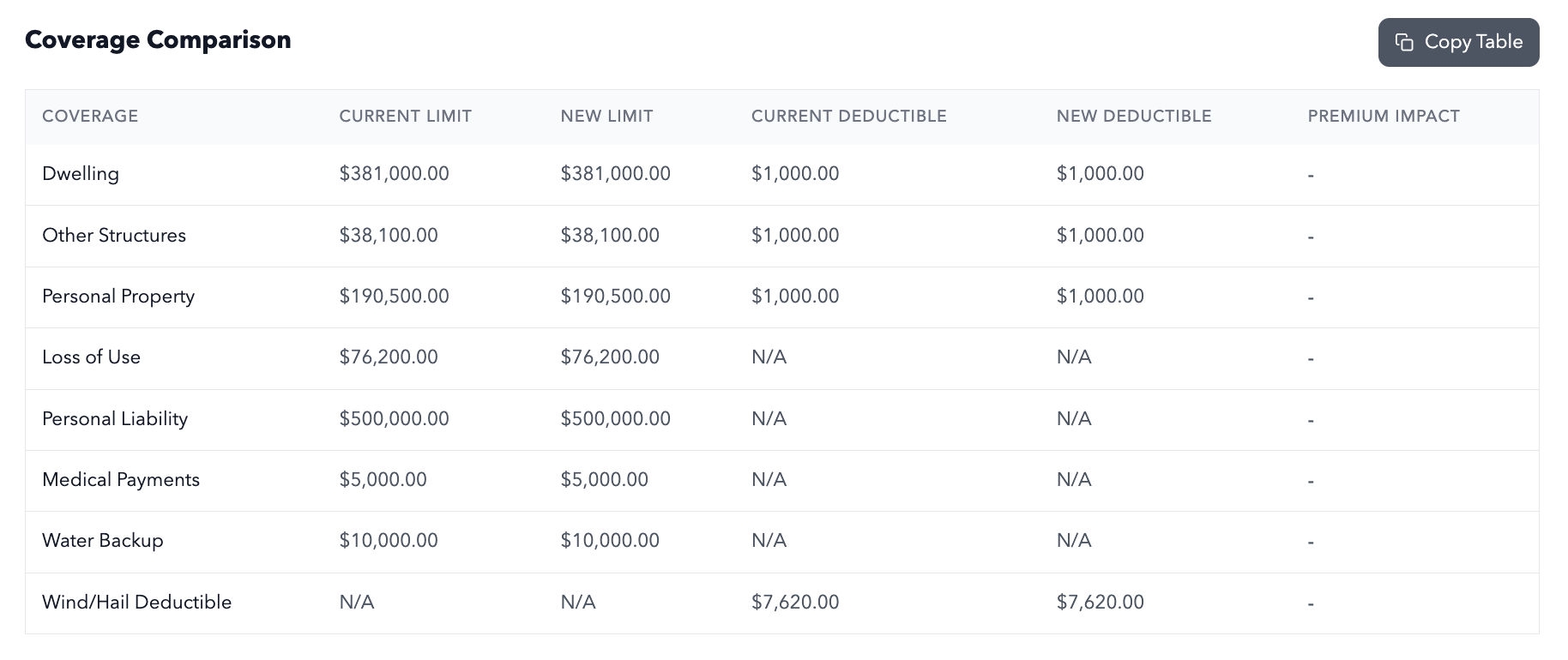
InsurGrid results table showing reviewed policy data ready for the next workflow.

Know what is current, what changed, and what needs attention

Clear status keeps the document request, human follow-up, and handoff visible.

Requested

The current document has been requested through the refresh workflow.

Client action needed

Owner: agency team. Ask the client to reconnect or upload the required document, then retry. Last changed: Jul 22, 2026.

Updated document received

A current source document is available for field extraction and review.

Ready for review

Changes and remaining exceptions are ready for agency staff to review.

Review the policy fields that shape the next conversation

Review extracted policy fields before downstream use.

Named insured and accountAccount names, contacts, and related details
Carrier and policyCarrier, policy number, and source-document context
Policy termEffective and expiration dates
Premium and billingPremium, fee, and billing details
Limits and deductiblesLimits, deductibles, and selected coverage details
Drivers, vehicles, and locationsDrivers, vehicles, locations, and exposure details
Prior-versus-current changesPrior-versus-current field differences for review
Source document and dateThe current document and request or retrieval context

A refresh workflow makes the exception path clear

The next action follows the carrier, source, document, access, and permission flow.

Authorized access

Policy data is accessed or collected through the carrier, client, and permission flow.

Client action

A refresh asks the client to reconnect, upload, or complete another step when source access requires it.

Changing source access

Carrier login or source access can change and require human follow-up.

Carrier and document coverage

Data Refresh works across carrier connections and uploaded policy documents.

Agency review

Agency staff review the refreshed record before it is used downstream.

Common Data Refresh workflows

Use current data wherever it shapes the next account conversation.

Common workflows

Renewal preparation
Request current documents early enough for account review.
Remarketing readiness
Prepare a current policy baseline before approaching the market.
Account review
Confirm policy and exposure changes before a producer conversation.
Book a Live Demo

Data Refresh FAQs

Answers for agencies requesting current policy documents and reviewing changes.

What does Data Refresh update?

Data Refresh requests or collects a current policy document, structures current fields, and compares changes with the prior record.

How can an agency start a refresh?

Select the account or policy and start a manual or renewal-based refresh from the agency workflow.

Does the client need to reconnect or upload a document?

Clients reconnect, upload a document, or complete another requested step when the refresh requires action.

Which policy fields can InsurGrid compare with the prior record?

Compare policy dates, premiums, limits, deductibles, vehicles, locations, account details, and other policy fields with the prior record.

How does Data Refresh work across carriers and policies?

Data Refresh uses carrier connections and uploaded policy documents, with the source and access method shown for each account.

Where does reviewed refresh data go next?

Move reviewed refresh data into renewal preparation, remarketing, policy comparison, proposal building, and account review.

Start renewal work from a current policy record

See how InsurGrid requests current documents, shows policy changes, and prepares the next renewal workflow.